When three or four people share the phone, the work mobile gets passed from hand to hand, or someone's personal number ends up on the website. The person holding the phone can't switch off, and customers get a number that stops working the day that person leaves.
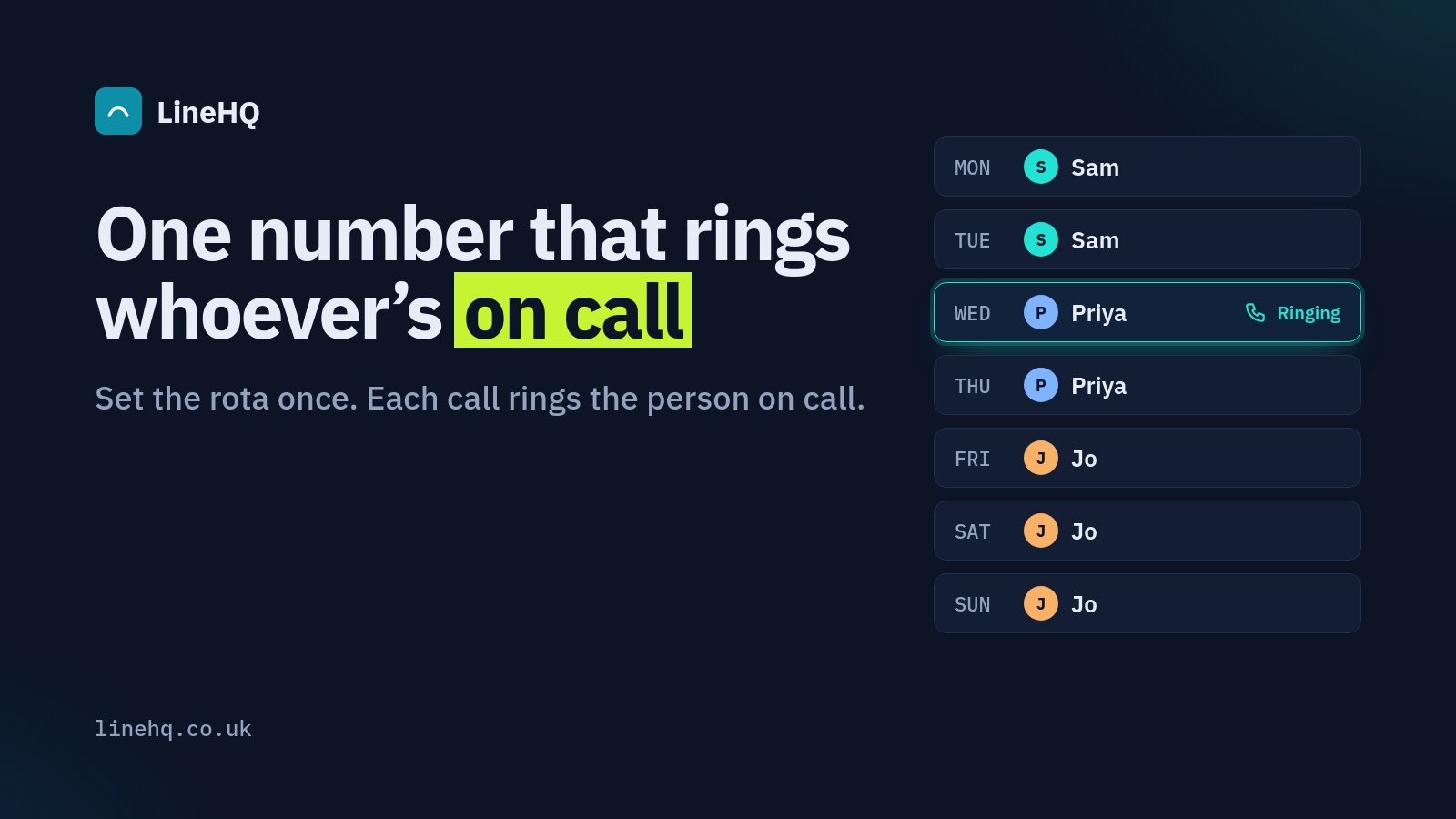
A better setup is one business number that rings whoever is on call. Customers always ring the same number. Behind it, a rota decides whose phone rings, and it changes over by itself at the end of each shift.
This guide walks through setting up the rota, covering swaps and holidays, and taking texts on the same number.
What an on-call phone number is
An on-call phone number is a business number whose calls are sent to a different person depending on the day and time. It is usually built on time-based call forwarding: you set the hours each rule applies, and every incoming call checks the clock before it rings anyone.
The number stays the same, and calls move to the next person on call at the times you set.
Write the rota down first
Before touching any settings, write the rota as a simple table: who is on call, on which days, and between which times. For example:
| Shift | Days | Hours | Rings |
|---|---|---|---|
| Sam on call | Monday and Tuesday | All day | Sam's phone |
| Priya on call | Wednesday and Thursday | All day | Priya's phone |
| Jo on call | Friday to Sunday | All day | Jo's phone |
| Office hours | Monday to Friday | 09:00 to 17:00 | Everyone |
Two questions are worth settling now. Does the person on call cover nights, or do calls go to voicemail after a certain hour? And when office hours overlap with someone's shift, who should ring: just the person on call, or the whole team?
Set up the rota once in LineHQ
In LineHQ each shift is a schedule on the number's routing.
- Get the number. Choose a business number, or move your existing one across. If you want texts on it too, read the section on texts below before you choose.
- Invite the team. On the Team page, invite each person who will be on the rota. Each one can answer in the LineHQ app on their own phone, or have calls forwarded to their mobile number.
- Set the everyday routing. This answers whenever no shift is in effect, so it is your safety net. Ring the whole team, or send calls to voicemail.
- Add one schedule per shift. Name it after the person ("Sam on call"), set the days and times it is active, and choose whose phone it rings.
- Make a test call during each shift from a phone that isn't on the rota, and check the right person answers.
From then on, every call checks the time and rings whoever's shift it is.
Overnight shifts
Each time window sits within a single day. A shift that runs from 18:00 on Monday to 08:00 on Tuesday is two windows on the same schedule: Monday 18:00 to midnight, and Tuesday 00:00 to 08:00.
When two shifts overlap
If two schedules cover the same time, the one higher in the list wins. Put the rule you want to take priority at the top. For example, if the person on call should take calls even during office hours, move their schedule above the office-hours one.
When the person on call doesn't answer
Each schedule has its own plan for a call nobody picks up. Two common choices:
- Back-up ringing. Add the rest of the team after the person on call and choose sequential ringing, so an unanswered call moves on to the next person after a set number of seconds.
- Voicemail. Let the caller leave a message, and the team gets an email about it.
For a small team, back-up ringing during the day and voicemail overnight is a sensible starting point.
Swaps, holidays and sick days
When someone swaps a shift or is off sick, leave the rota as it is and use a temporary change on the number's routing:
- forward calls to the person covering,
- choose when it starts, or start it now,
- set when it goes back to normal.
It ends by itself at the time you set, and the rota carries on as before. A temporary change forwards to a phone number, so give it the covering person's mobile.
Schedules repeat every week. If your rota alternates (Sam this week, Priya next week), set the weekly pattern for the most common week and use a temporary change for the weeks that differ.
Taking texts on the same number
Some customers would rather text than ring, and an on-call team needs those texts where everyone can see them. Two things decide whether this works:
- The type of number. In the UK, texts work on mobile (07) numbers. Landline numbers such as 01, 02 and 03, and 0800 numbers, usually take calls only. If you want one number for calls and texts, choose an 07 business mobile number.
- Where texts go. With business texting, texts arrive in a shared thread in the LineHQ dashboard and app, so whoever is on call can read and reply from the business number. Each text you send is charged to your calling credit.
If you would rather keep a local landline number for calls, you can add an 07 number alongside it for texting and give it the same rota.
Shared business phone number: the options compared
| Option | Who answers | Handover | Texts |
|---|---|---|---|
| One work mobile passed around | Whoever holds it | Hand the phone over | Yes, on that handset only |
| Divert from a personal mobile (*21) | One person at a time | Change the divert by hand | Stay on the original phone |
| Business number with a rota | Whoever is on call | Automatic, at the times you set | Yes, on an 07 number, shared with the team |
A quick checklist
- Rota written down: who, which days, which hours.
- An 07 number if you want texts on the same number.
- Everyone on the rota invited, with the app installed or a mobile number to forward to.
- Everyday routing set as the safety net.
- One schedule per shift, overnight shifts split at midnight, overlaps in the right order.
- A back-up plan for unanswered calls.
- A test call made during each shift.
See the features and plans, or book a demo and we'll walk through your rota with you.