To port a UK business number with no downtime, keep your old service active, collect the exact account details, choose the gaining provider, submit the port request, and only cancel the old contract after the number is working on the new system. Most delays come from mismatched details or cancelled lines.
What does number porting mean for a UK business?
Number porting is the process of moving an existing phone number from one provider to another. For a business, the aim is simple: keep the number customers already know while moving the call handling, forwarding, voicemail and billing to a better service.
Ofcom's landline switching guidance says customers should be able to keep their phone number when switching provider, subject to eligibility and the provider's checks. Accessed 1 August 2026. For business numbers, the same practical rule matters even more: the number is part of your trading identity, so treat it like a live asset.
If you are moving from an old landline, hosted VoIP service or virtual number provider, LineHQ can usually help you port your number and route calls to mobiles, teams or voicemail without asking customers to learn a new number.
What should you check before starting a port?
Before submitting a port request, check the basics. Most rejected ports are not caused by technical faults. They are caused by details that do not match the losing provider's records.
| Check | Why it matters | Where to find it |
|---|---|---|
| Number to be ported | The provider needs the exact number or number range. | Recent bill, provider portal or contract. |
| Account holder name | Ports can be rejected if the legal name does not match. | Invoice, direct debit mandate or account profile. |
| Installation or service address | Many fixed-line ports are tied to the registered address. | Original order, bill or provider support. |
| Current provider | The gaining provider needs to send the request to the right network. | Bill, email confirmation or porting desk. |
| Contract status | The line must normally stay live until the port completes. | Provider portal or customer support. |
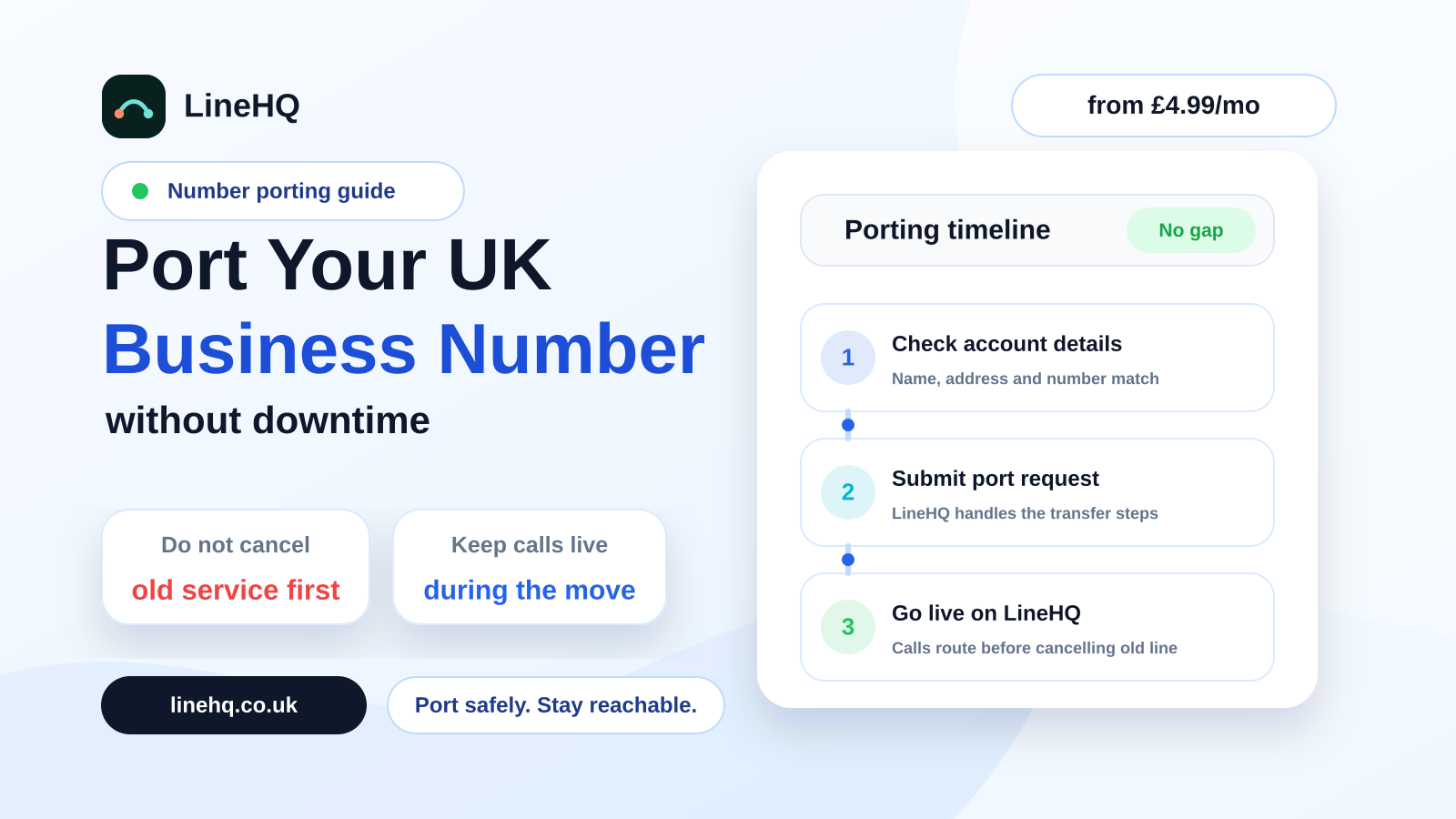
How do you port a UK business number with no downtime?
- Choose the new provider first. Do not cancel the old service before the new provider confirms the port can be started.
- Gather the old account details. Use the exact business name, service address and provider details from the current bill.
- Ask the new provider to run a port check. This confirms whether the number type, range and losing provider are suitable for porting.
- Submit the port authorisation. Some ports need a signed letter of authority or equivalent permission from the account holder.
- Agree the port date. Keep staff briefed and avoid choosing a date when nobody can test inbound calls.
- Set up call routing before the switch. Decide who answers, what happens after hours and where voicemail notifications should go.
- Test the number after the port completes. Call it from a mobile and another landline if possible. Check forwarding, voicemail and caller ID.
- Cancel the old service only after testing. Once calls are arriving correctly on the new system, close anything that did not end automatically.
That last step is the one people get wrong. Cancelling early can make the number harder to recover and can turn a routine port into a support case.
How long does UK business number porting take?
Timescales vary by number type, provider and whether the details match first time. A simple single-number port can be quicker than a larger range, but it is better to plan in working days rather than hours. If a port is rejected, the clock often restarts after the correction is submitted.
Ofcom's guidance on switching landline provider explains that switching can involve checks between providers and that customers should not be left without service. Accessed 1 August 2026. In practice, businesses should still plan a small buffer and avoid scheduling a port on a day with critical calls, launches or appointments.
Can you port a number during the PSTN switch-off?
Yes, but the PSTN switch-off makes planning more important. Traditional analogue phone lines are being withdrawn across the UK, and many businesses are moving their numbers to internet-based services before the old network is retired.
If your number sits on an ageing landline, a port can be part of the move away from the old network. Read LineHQ's PSTN switch-off guide before changing anything connected to alarms, card machines, lifts or other equipment that may still rely on the old line.
The safest route is to move the number first, prove calls are working on the new setup, and then deal with the old line and any attached equipment. Do not assume that cancelling broadband, cancelling a phone package or upgrading a line will automatically preserve the number.
What can cause a port to fail?
Common reasons include a wrong postcode, an old trading name, a number that belongs to a larger range, an account that has already been cancelled, or a request sent to the wrong losing provider. None of these are dramatic, but they waste time.
If the number is important, take five minutes to check the latest bill before submitting anything. If you have several numbers, ask whether they are separate single lines, a block or a multi-line range. Moving one number out of a range can need a different process.
How does LineHQ help with porting?
LineHQ is built for businesses that want to keep a known number while changing how calls are handled. You can port a landline or business number, then route it to mobiles, teams, voicemail-to-email or call flows without keeping a desk phone in one place.
If you are moving away from an old landline, start with virtual landline options. If your priority is keeping the number customers already know, use LineHQ number porting and plan the switch before touching the old account.
UK number porting checklist
- Keep the old service active until the port is complete and tested.
- Use the exact account name and service address from the current provider's records.
- Check whether the number is a single number or part of a range.
- Choose call routing, voicemail and out-of-hours handling before port day.
- Tell staff when the port is due and who will test inbound calls.
- Update website, Google Business Profile and printed material only if the displayed number changes.
- Cancel the old service after the port works on the new provider.
FAQs
Can I keep my business phone number when changing provider?
Usually, yes. The number must be portable, the account details must match, and the old service should stay live until the transfer has completed.
Should I cancel my old phone provider before porting?
No. Keep the old service active. Cancelling first can delay the port or put the number at risk.
Will customers notice the port?
They should not notice if the port is planned properly. The public number stays the same, while the answering setup changes behind the scenes.
Can I port a landline to a mobile?
You normally port the landline to a phone service, then forward calls to mobiles. That gives you mobile answering without publishing a personal mobile number.
What happens if the port is rejected?
The provider will usually give a rejection reason. Correct the mismatch, resubmit the request, and keep the old line active while the issue is fixed.