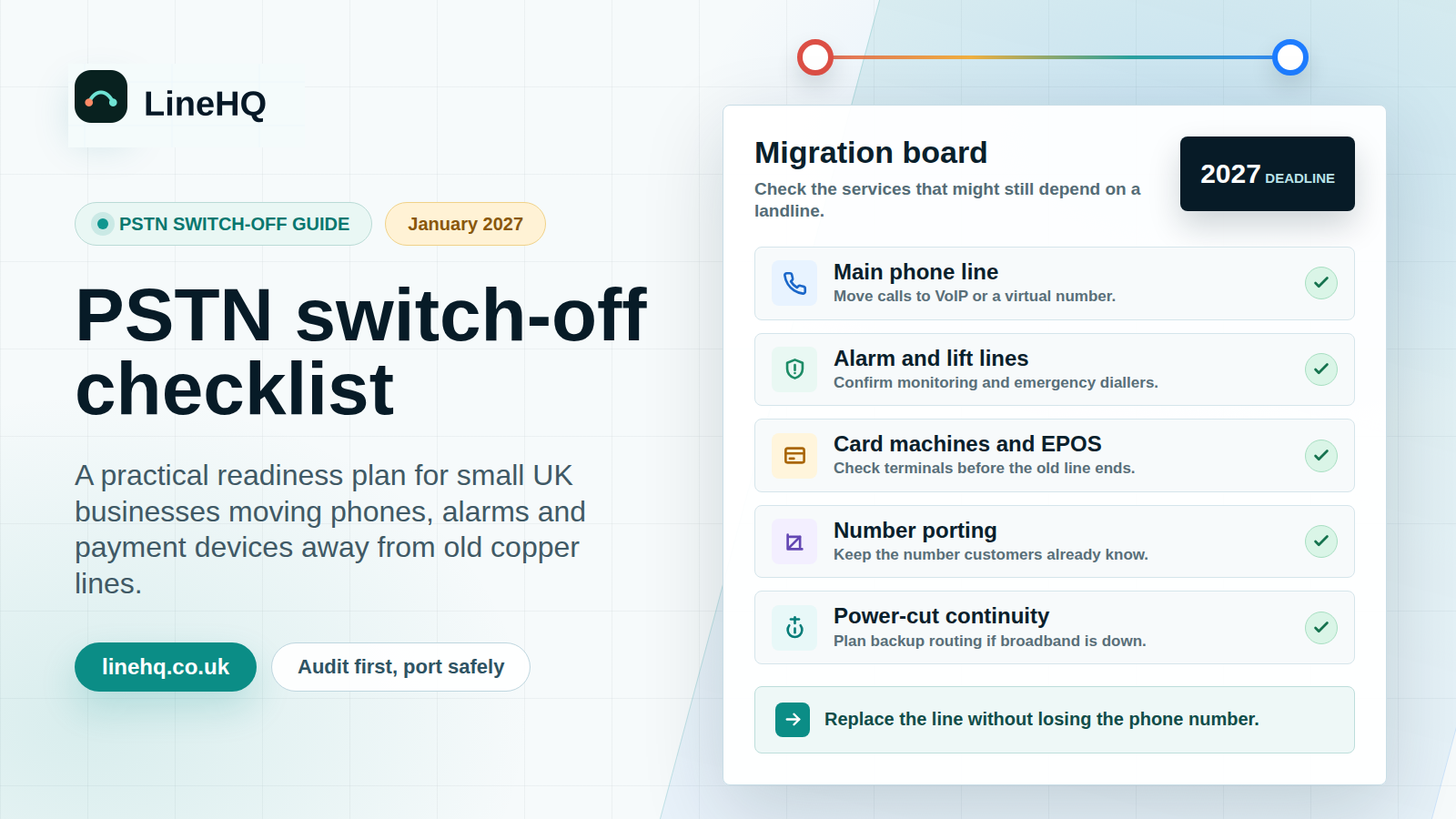
The UK PSTN switch-off means traditional analogue landline services are being retired and moved to digital voice. Openreach says the analogue phone network will be retired by 31 January 2027. Small businesses should check phone lines, alarms, card machines, lifts, telecare and number-porting plans before their provider moves them.
What is the PSTN switch-off?
PSTN stands for Public Switched Telephone Network. It is the older analogue network that has carried UK landline calls for decades. The change does not mean landlines disappear, but it does mean landline voice will be delivered digitally, usually over broadband using VoIP.
Openreach says it will retire the analogue phone network by 31 January 2027, and describes the change as a move to digital phone lines. Source accessed 6 August 2026: Openreach, Upgrading the UK to digital phone lines.
Ofcom explains that BT has taken the decision to retire the PSTN by January 2027 and that other providers plan to follow a broadly similar timescale. Ofcom also says landline calls will move to Voice over Internet Protocol, using a broadband connection. Source accessed 6 August 2026: Ofcom, Upgrading landlines to digital technology.
Does the switch-off affect small businesses?
Yes, if the business still depends on an old landline, an analogue phone service, or equipment plugged into a phone socket. The risk is not just the handset on the desk. Many businesses have other devices that were installed years ago and quietly depend on the same line.
Ofcom specifically warns that the change can affect devices such as some fire and burglar alarm systems and telecare devices. For businesses, the same thinking should be applied more widely: any device or service that uses a phone line needs checking with the provider, installer or maintainer.
What should a small business check first?
Start with a line audit. Do not wait until a provider sends a migration date and then try to work out what each line does under pressure.
| Item to check | Why it matters | What to do now |
|---|---|---|
| Main business number | This is the number customers, suppliers and directories already know. | Check who owns it, which provider bills it, and whether you want to keep it. |
| Additional landlines | Old fax, back-office or branch lines can be forgotten until they stop working. | Match every billed number to a real use or cancel it only when you are sure it is unused. |
| Alarm systems | Some monitored alarms use a phone line to send alerts. | Ask the alarm maintainer whether the device needs replacing or reconfiguring. |
| Card terminals | Older terminals may still rely on analogue dial-up or a fixed line. | Confirm with the payment provider that terminals work over broadband, mobile data or Ethernet. |
| Lifts, gates and entry systems | Emergency phones and entry panels are easy to overlook. | Ask the installer what connectivity the unit uses and whether battery backup is needed. |
| Care, panic or lone-worker devices | These can be safety-critical and may need a managed migration. | Speak to the provider before changing the line. |
When should you move your business number?
Move before the deadline becomes urgent. The safest route is to plan the number move while the old service is still active, especially if the number appears on vans, Google Business Profile, invoices, directories, adverts or long-standing customer records.
If you want to keep the number, read LineHQ's number porting guide before cancelling anything. The simple rule is this: do not cancel the old line before the number has moved successfully. Cancelling first can make porting harder, slower or impossible depending on the provider and number status.
How can a virtual landline help?
A virtual landline lets a business keep a familiar 01 or 02-style presence without relying on a traditional desk phone line. Calls can be forwarded to mobiles, routed to a small team, sent to voicemail, recorded where appropriate, or handled by a receptionist flow.
That can be a good fit for small businesses that want to keep the number customers know, but do not want to install a full office phone system. LineHQ's business phone number page explains the number options if you need a new number as part of the move.
What is the practical checklist?
- List every phone number on your bills, website, Google profile, signage and directories.
- Check which numbers are still used for sales calls, support, alarms, payments, lifts or entry systems.
- Ask each equipment provider whether the device depends on PSTN and what the replacement route is.
- Decide which numbers must be kept, which can be replaced, and which can be retired.
- Plan any number porting before cancelling the old service.
- Check call routing, voicemail and out-of-hours handling before the old line is switched off.
- Update website, Google Business Profile, email signatures, invoices and printed materials only when the new setup is ready.
- Test inbound calls from a mobile and another landline-style number after the change.
What about power cuts?
Digital voice depends on powered equipment such as a router. Ofcom says that, unlike traditional phones, a phone connected to a broadband router will not work in a power cut because the router gets power from the mains. If a landline is safety-critical, ask the provider about backup options before migration.
For a business, this is also a continuity question. If calls matter during a power cut, consider forwarding to mobiles, mobile data backup, battery backup for network equipment, or an out-of-hours message that tells callers what to do.
What should you avoid?
- Do not assume every device on the premises uses broadband just because the office has Wi-Fi.
- Do not cancel an old line before confirming whether the number needs to be ported.
- Do not leave the change to the week before a provider deadline.
- Do not update public contact details until the replacement call route has been tested.
- Do not treat safety or alarm lines as normal phone lines without checking with the maintainer.
FAQs
Is the PSTN switch-off the same as losing my business number?
No. The network behind the service is changing, but many businesses can keep their existing number by moving it to a suitable digital or virtual phone service. The important part is planning the port before cancelling the old service.
Do I need a full VoIP phone system?
Not always. Some businesses need desk phones, extensions and more advanced call handling. Others just need a virtual number that forwards calls to mobiles with voicemail and routing. The right setup depends on how many people answer calls and how important calls are to revenue.
Will my alarm or card machine still work?
It depends on the equipment. Some modern devices already use broadband, Ethernet or mobile data. Older devices may need replacing or reconfiguring. Ask the supplier or maintainer before changing the phone line.
Can LineHQ help me keep my landline number?
LineHQ can help small UK businesses move suitable numbers to a virtual setup, then forward calls to mobiles or a small team. Start with the number porting page if keeping the number is the main concern.
What is the deadline?
Openreach says the analogue phone network will be retired by 31 January 2027. Ofcom says BT has decided to retire the PSTN by January 2027 and other providers plan a broadly similar timescale. Your own migration date depends on your provider, so check directly with them.