// LineHQ for Pipedrive
Connect your business phone line to Pipedrive
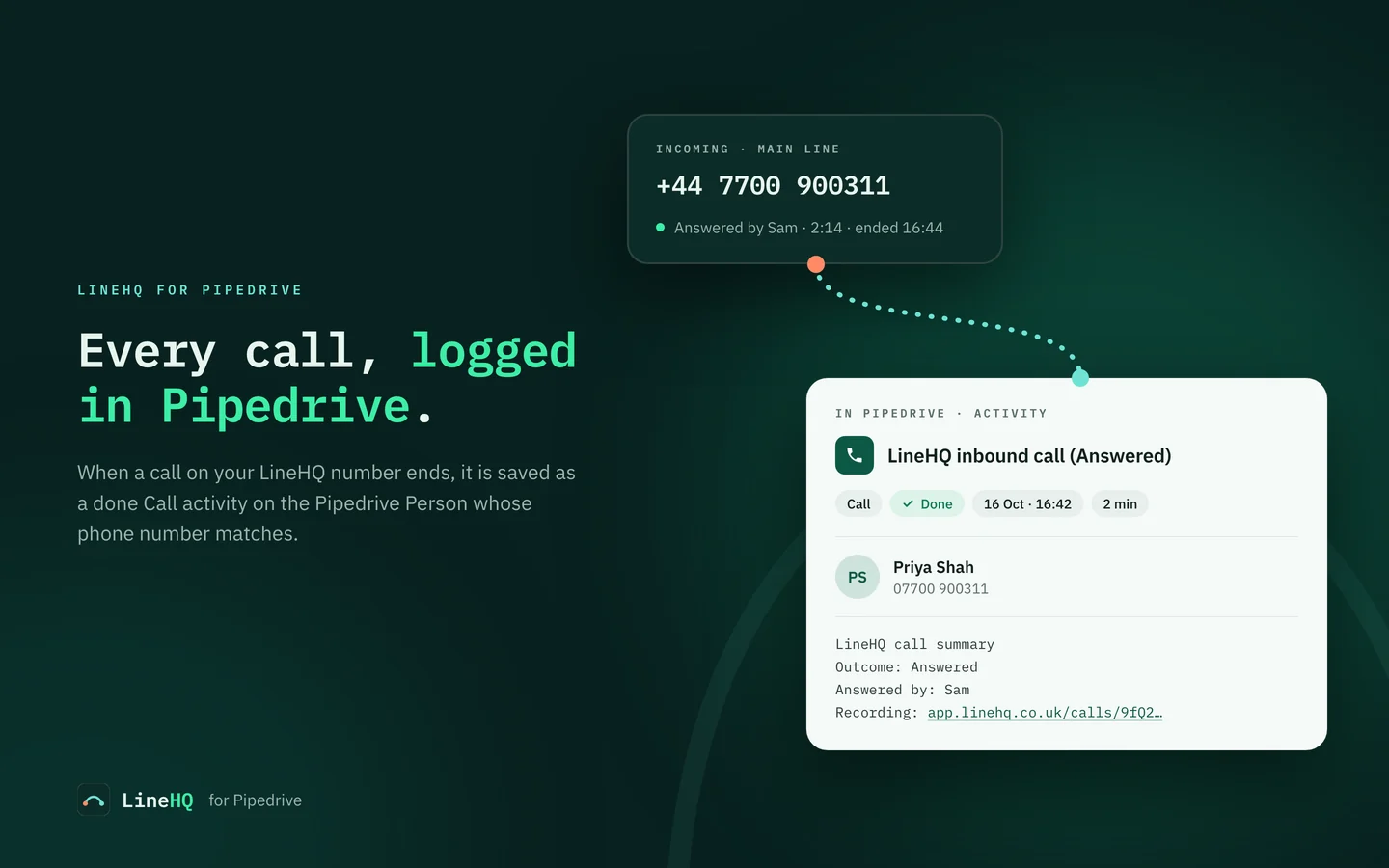
LineHQ gives your business a UK phone number and handles its calls: forwarding, voicemail, recording and a virtual receptionist. Connect Pipedrive and each call, voicemail and receptionist message is saved as a done Call activity on the Person whose phone number matches, with links back to the call in LineHQ.
Needs a LineHQ number on the Mobile plan or above · CRM Sync add-on · no recordings leave LineHQ
Set up in five steps
Only the LineHQ account owner can connect a CRM. Allow a few minutes if you are new to LineHQ, most of it choosing your number.
-
1 · Create a LineHQ account
Choose a plan and pick your UK business number at linehq.co.uk. New numbers are usually live within minutes. You need the Mobile plan or above.
-
2 · Add CRM Sync
In LineHQ, open CRM sync in the sidebar and subscribe to the CRM Sync add-on. Scale already includes one connection. The page shows the price before you confirm.
-
3 · Connect Pipedrive
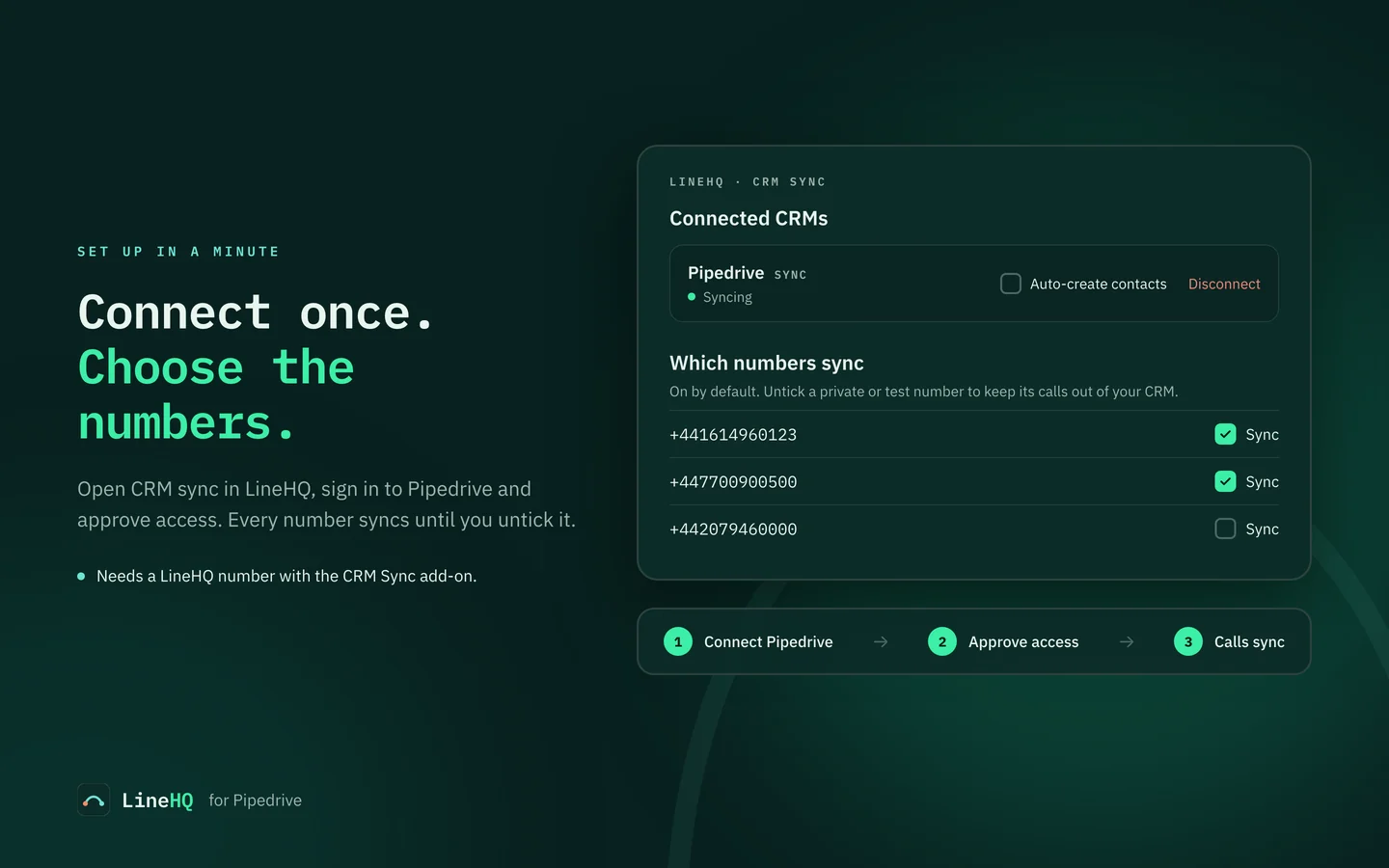
Click Connect Pipedrive, sign in to Pipedrive and approve access. You come back to LineHQ with the connection showing as Syncing.
-
4 · Choose the numbers
Under Which numbers sync, every number is ticked. Untick a private or test line to keep its calls out of Pipedrive.
-
5 · Decide about new callers
Optional: tick Auto-create contacts to add a Person when a caller is not in Pipedrive yet. Left off, those calls are not logged.
What lands in Pipedrive
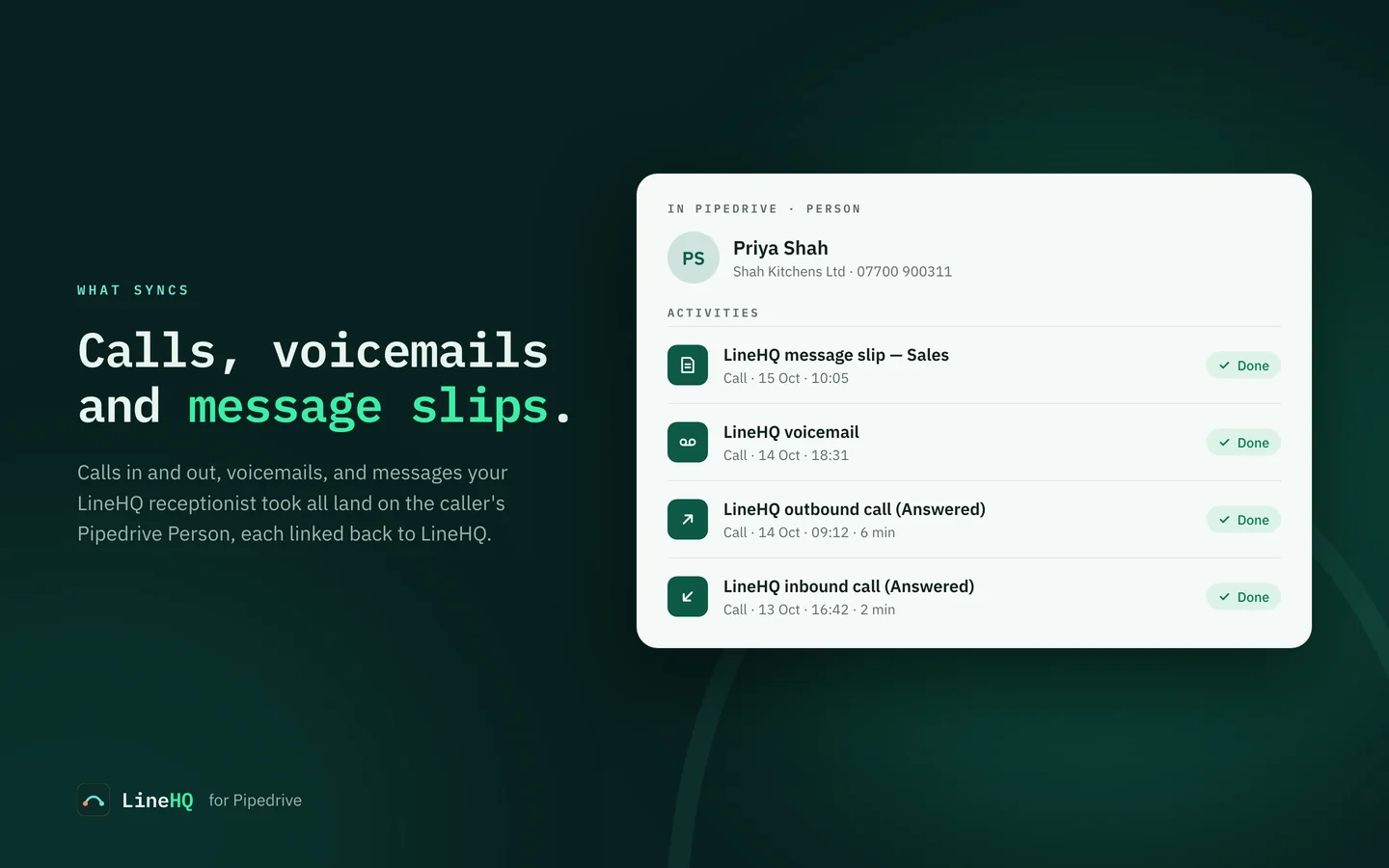
Shortly after a call ends, LineHQ adds a done activity of type Call to the matching Person, with the date, time and duration. The subject says what happened:
| Activity subject | When you see it |
|---|---|
| LineHQ inbound call (Answered) | A call to your number. The word in brackets is the outcome. |
| LineHQ outbound call (Answered) | A call your team made from the LineHQ app or a desk phone. |
| LineHQ voicemail | A caller left a voicemail. |
| LineHQ message slip — Sales | Your LineHQ receptionist took a message for a department. |
The call notes follow
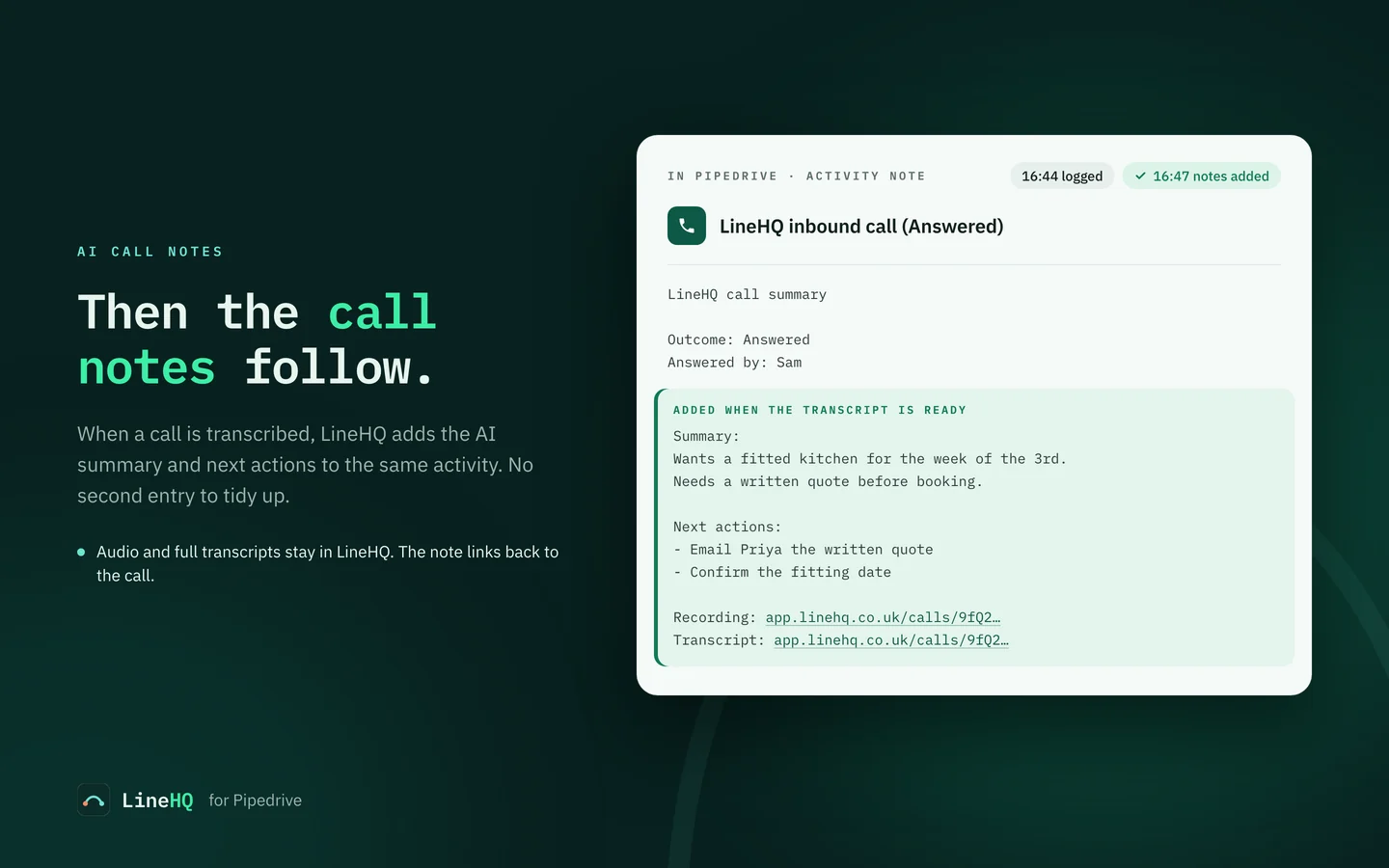
The activity's note gives the outcome, who answered and, if the call was recorded, a link to the recording. When a call is transcribed, LineHQ adds its AI summary, next actions and a transcript link to the same activity, so there is no second entry to tidy up.
Transcription is optional and metered in LineHQ, so a call that is not transcribed keeps the shorter note.
How callers are matched
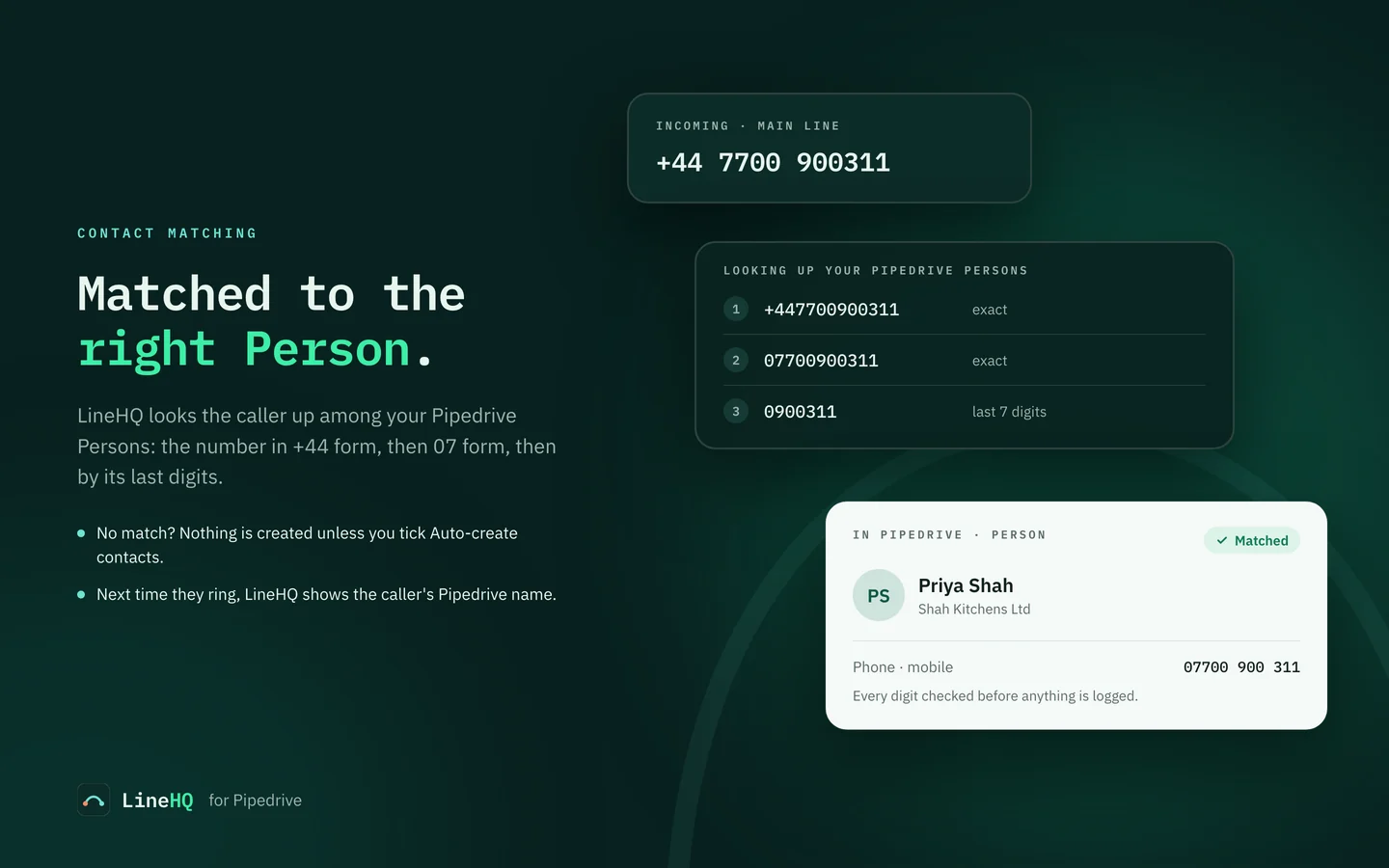
LineHQ looks the caller up among your Pipedrive Persons by phone number: in +44 form, then in 07 form, then by its last seven digits. Every digit of a match is checked before anything is logged.
- No match: the call is not logged, unless you ticked Auto-create contacts.
- Two Persons with the same number: the call is logged on one and listed under Recent sync issues.
- Matched callers show by name in LineHQ the next time they ring.
Your data
What Pipedrive receives
The activity subject, date, time and duration, and a note with the outcome, who answered, the AI summary and next actions when a call is transcribed, and links back to LineHQ.
What stays in LineHQ
Recording audio and transcript text. The links in the note open the call in LineHQ, where your team signs in to listen or read.
Permissions LineHQ asks for
Contacts, to find the caller and, only if you allow it, add a Person. Activities, to log calls and add their notes. Your user profile, to identify your Pipedrive company.
Stopping it
Disconnect in LineHQ or uninstall the app in Pipedrive and syncing stops. Activities already logged stay in Pipedrive. See the privacy policy for the rest.
If a call is missing
Check the call itself
- Is the number ticked under Which numbers sync?
- Is the caller a Person in Pipedrive with that phone number? If not, it is only logged with Auto-create contacts ticked.
- Did the caller withhold their number? Those calls cannot be matched.
Check the connection
- Reconnect required means Pipedrive stopped accepting LineHQ's access, for example after the app was uninstalled. LineHQ emails the account owners. Click Connect Pipedrive again to restore it.
- Recent sync issues on the CRM sync page lists calls that failed to sync or matched more than one Person.
Still stuck? Use the contact form and include the time of the call.
Questions, answered
Do I need a LineHQ account?
Yes. LineHQ provides your UK business number and handles the calls; this integration logs them in Pipedrive. You need a number on the Mobile plan or above and the CRM Sync add-on. Scale includes one CRM Sync connection.
What does LineHQ write to Pipedrive?
For each call, voicemail or receptionist message slip, a done activity of type Call on the Person whose phone number matches: a subject, the date and time, the duration and a note with the outcome, who answered and links back to LineHQ. If the call is transcribed, the AI summary and next actions are added to the same activity.
Are recordings or transcripts sent to Pipedrive?
No. Recording audio and transcript text stay in LineHQ. The note carries links that open the call in LineHQ, where your team signs in to listen or read.
What happens when a caller is not in Pipedrive?
By default that call is not logged. Tick Auto-create contacts and LineHQ adds a Person named "Caller" with that phone number, then logs the activity on it. A withheld number cannot be matched, so it is never logged.
What if two Persons have the same number?
LineHQ logs the call on one of them and lists it under Recent sync issues on the CRM sync page, so you can check it or merge the duplicates in Pipedrive.
Which Pipedrive permissions does LineHQ ask for?
Contacts, to find the caller's Person and, only if you allow it, create one. Activities, to log each call and add its notes later. Your user profile, to identify your Pipedrive company. LineHQ never deletes your contacts or activities.
Who can connect Pipedrive?
The LineHQ account owner. Team members can see the CRM sync page but cannot connect, disconnect or change its settings.
How do I disconnect?
Click Disconnect on the CRM sync page in LineHQ, or uninstall the LineHQ app in Pipedrive. Either stops syncing. Activities already logged stay in Pipedrive.
New to LineHQ? Start with a number and a plan, then connect Pipedrive.